
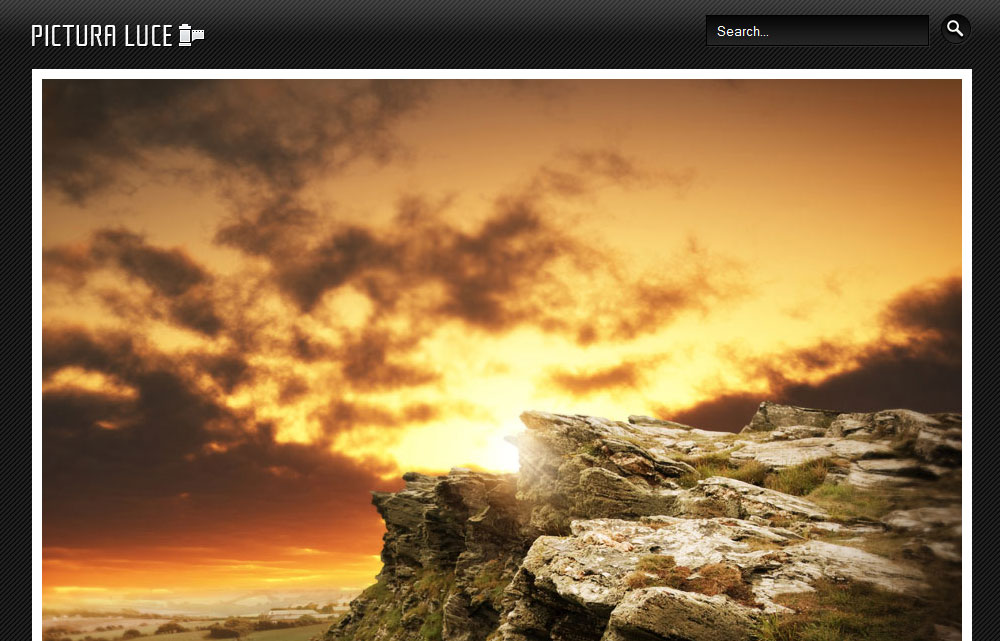
This amazing template was created for business websites. The template is compatible with Joomla 2.5 and 1.7 version. The layout is simple, but effective, having multiple module positions, drop down menu, custom logo parameter that allows you to display your custom logo image or text logo, you can also display slideshow. The background of this template is dark, decorated with light stripes, the content area is white. If you may want to change the orange link colors, please edit the CSS file.
Using the great features of the CSS3 styling, we are able to insert special effects into our designs without using javascript. Take a closer look to our demo page and see the nice transition effect of the links.

thanks admin. i like this template
Thanks for your kind feedback! Have a great day!
how can i use this template?
it dosent work!
i dont know how to set my slide show, there are no other settings
please help me
(1′m working on joomla 1.75)
The template works on versions 1.6, 1.7 and 2.5.
For the slideshow you have to install our Slideshow module, this is also compatible with the joomla versions mentioned above.
I’m having problems in installing: The search field and button aren’t showing up. I can’t link the search module to the search position as shown in this link:
http://newjoomlatemplates.com/pictura-luce
There is no search position…. is this a bug in the template?
How can i make the top menu extract like yours when hovering?
Template file has been updated and ‘search’ position has been included.
You can activate the drop-down menu function from the Menu Module, here is a tutorial: http://joomlathemes.co/enable-drop-down-menu-in-joomla-1.6/
Thnx for the quick reply! Where r the file templates you changed? I downloaded from: joomla24.com
Are these the ones or somewhere on your own site?
Many thnx in advance!
btw the hover effect on the menu worked!
The template was updated only on our website. Please download the template from this page: at the at the right of the preview image.
Thnx for the help…. i just changed the templatedetails.xml file myself and it seems to work.
Keep up the good work!
and i must be blind i couldn’t find your download button.. lol!
how can i change the background of the main page?
Is this possible?
This is the image you have to edit: new15/images/header-bg.png
If you want to replace it with a repeating image, you don’t have to change the CSS styles, but if you want to add a big image in the center of the page, you will have to make some modifications in the css/styles.css file as well.
Hello,
I want to change the boarderlines of the nivoslider but I don’t know how?
Can you please help me with this.
My Photos don’t fit well now.
Hello,
1. Locate the styles.css file in your template folder.
2. Around the line 30, edit the #slide-w styling that looks something like this:
#slide-w {
border: 10px solid #FFFFFF;
margin: 0 auto 40px;
width: 820px;
}
Deleting the bold line you can remove the white border, or you can change the thick or the color of the line.
Hope you can figure it out.
How to change the right module position to the left
You have to make changes on index.php and css/styles.css files. It is a longer process, and we do not provide support for this kind of changes, sorry.
Need Help, Show / Hide Article Options, Example ( Show / Hide Title, Show / Hide Category etc ), doesn’t work,
Check the global article configuration, check the menus and also check each individual article’s option. I usually set up the global options in Content > Article Manager > Options and set up everything else using the global configuration.
I have just installed this template and the module. How do I work with it? In the Cloudbase 2.0 template there are Style, Features, Menu, Layouts, Mobile, Advanced and Assignments to play around with. I’m afraid I’m new to this and don’t know how to use any other template. TIA
Here you can find the documentation for Joomla: docs.joomla.org
Hi,
is it allowed to modify the template and use it for a commercial website for free?
Kind regards
Wort
Hello, as far as you use the template under CCA license, you are allowed to use it for commercial website as well.
Thank you very much! I didn’t know this existed!!!
Hello!
I’m trying to configure pictura luce template and i found a big problem:
it looks like that slideshow has fixed width (and probably height) and parameters of it cannot be modified with Your slideshow module (@ Joomla 2.5).
(and about the plugin… option to resize photo to meet requirements would be much appreciated)
Only the width is fixed. Please edit the styles.css file at around line 30.
thanks a lot for the beautiful template. the problem i’ve faced is that the webpage is veryyy wide with blank space. you can check atrin-shirini.ir
what’s the problem and how can i fit the page?
First of all, the images are not enough wide to fit the size of the slideshow space.
Secondly, the content layout setting have to be changed from the admin panel. I see you are using multiple columns to display the frontpage content. Change it one columns, to see if this reduce the white space.
I am having trouble my logo is not showing how to I position the slide show box lower so my logo will show
This is a great template – thank you. I would like to change the styling of the text separator menu item. Can I do this with just the stylesheet and if so, can you provide me the item which would control this?
Thank You
Would you like to add a vertical separator between the horizontal menu points?
Hi there,
Is it possible to put content or an article into the ‘right’ position in the template?
I may just be overlooking something simple as im not a joomla pro but i can’t figure it out
You can create a Custom HTML module, that allows you to display content on any module position.
Thanks very much, believe it or not i actually figured it out shortly after :S
Hello,
first thanks for this templates, because it is realy super!
I have one question, how can I set different styles for user positions? For example I have user1 and user2 – an I would like to have the user2 padding-top: 40px but all modules have style=”module”. It would be great for example, if there is a way to add suffix to the base style wich is used for all modules…
Hope you can help, this is very important for me to use this template…
Thanks for answer
With module class suffix would be very easy, but this template does not support this feature. We will update this template next week, and will consider adding this feature to our next templates.
It would be great!
So I will wait for it
How will I know when the update is complete?
Hi,
Great template. Wondering if there’s a way of adding a “top menu” in the coloured area?
If I can do this I think this template is perfect for me.
Cheers,
The ‘topmenu’ module position is not available on this template, however you can place a menu on the ‘search’ position, but this have to be styled in the styles.css file.
Here is the code you should add to the CSS file after publishing the menu on the ‘search’ position:
#search ul { float:right;}
#search ul li { list-style:none; float:left; padding:0 0 0 10px}
#search ul li a{ color:#fff; line-height:20px}
Do let me know if this helps.
Hi,
I gave this a go, its not really want I was looking for. I want a top menu that links to other pages on my site.
Anyway, I have used the “Home” button in the top section to link to my home page where I have the other links.
Thanks for trying.